Desktop Curtain displays a stylized curtain or image that you can use to cover as much of your screen as you'd like. You can place the curtain or image…
You can also isolate the frontmost window in any application, either through the Desktop Curtain menu or an optionally assigned hot key.
In addition to its built-in curtain, Desktop Curtain can use any image or solid color as its curtain, or you can use the currently-active macOS desktop picture. The choice is yours.
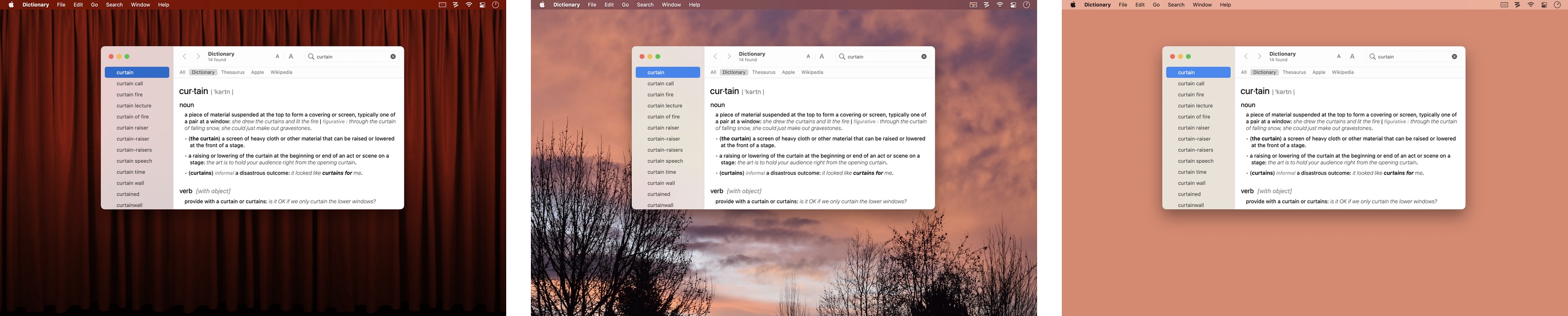
Recent macOS releases use a translucent menu bar that Desktop Curtain cannot draw behind. For best results, set your actual desktop image to your curtain image, or pick a solid color desktop that works well with the curtain.
You can easily change the color of the stylized curtain, or of any image with translucency.
Desktop Curtain also keeps track of your last 10 used images, making it simple to choose from recently-used images.
Desktop Curtain's settings give you full control over when and where you'll see its curtain (or image).
You also control the appearance of any images you use as curtains: their axes can be scaled proportionally or independently, or they can be centered or tiled.
Desktop Curtain can be run in any of three modes (standard application, menu bar icon, or completely invisible), and offers fast access to its key features via a contextual menu on the curtain itself, via Dock pop-up menus, or via its menu bar icon's menus.
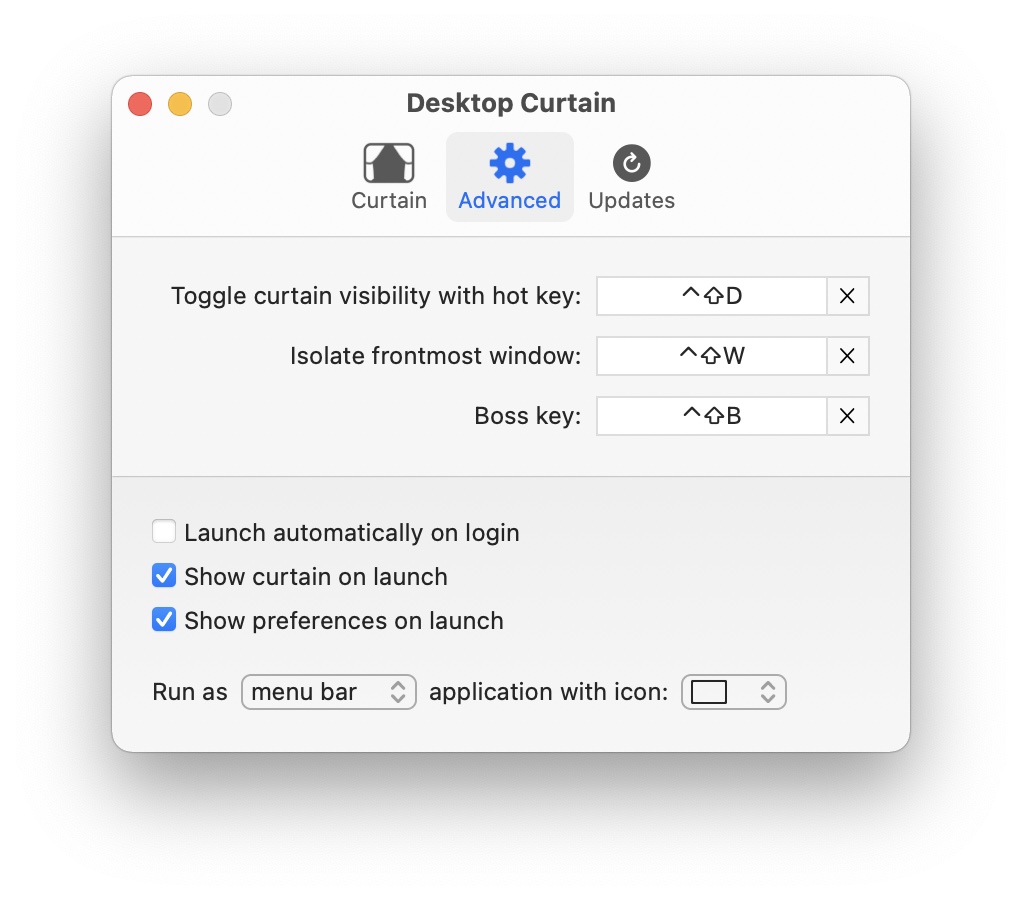
You can define global hot keys to toggle the curtain's visibility or to isolate the frontmost window, and setting Desktop Curtain launch at login (with its curtain optionally hidden) is as simple as checking a box.
There's even an optional 'boss mode' hot key that will cover everything, including the Dock and Command-Tab switcher.
 Many Tricks
 Play
Play