Leech
Lightweight download managerEvery modern browser has its own download functionality, so why should you use a separate application for handling downloads in the first place? Because Leech works better than any built-in download manager.
Working with BrowsersThe best download manager is the one that doesn't get in your way. That's why Leech stays quiet in the background, and works when you want it to. If you're using Safari, you can send downloads to Leech via the Leech Contextual Menu extension. For all other browsers—and other applications that may contain URLs—you can use drag-and-drop or copy-and-paste to have Leech manage those downloads (see "Convenience," below). |
Download multiple files with rangesLeech accepts URLs with special codes to denote ranges of files. For instance, file_{1-3}.jpg will expand to file_1.jpg, file_2.jpg, and file_3.jpg. Use file_{a-c}.jpg for a similar range of alphabetic names. You can even combine multiple ranges in one URL, as in file_{1-3,a-d,g-h}.txt As seen in that complex example, you can use commas to specify non-contiguous files. In this example, Leech would skip the letters 'e' and 'f.' |
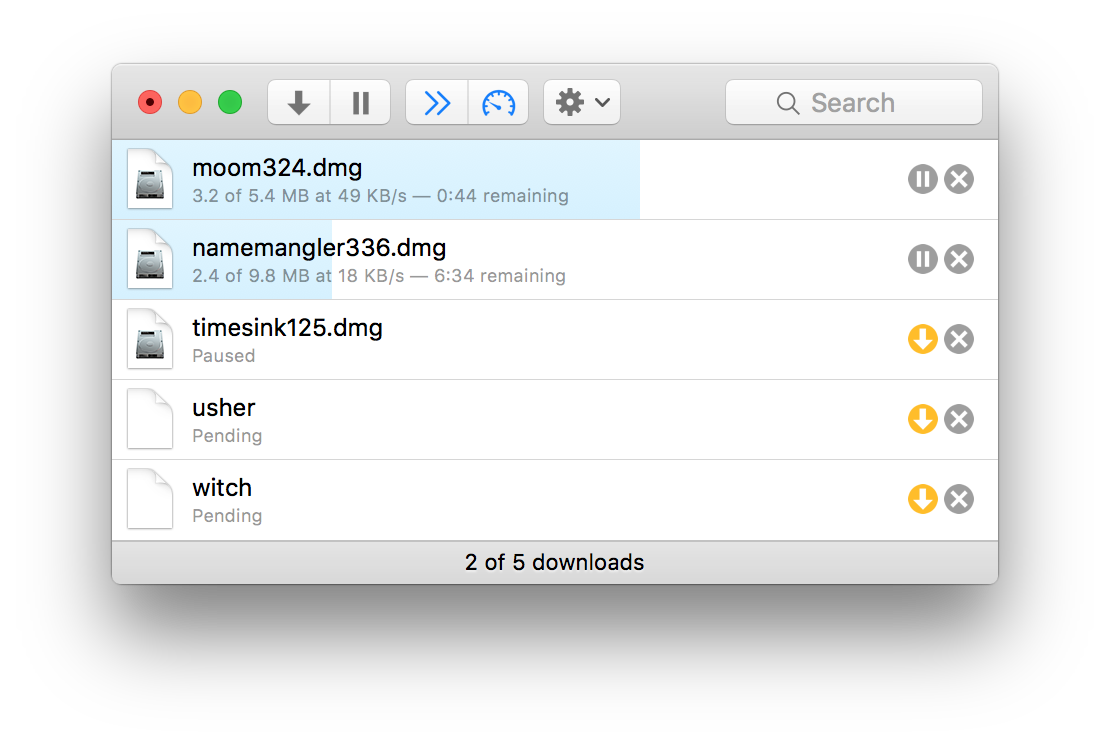
Work with listed downloadsWith Leech, you can select and work with entries in the download list, which makes it simple to modify more than one download at a time. Select the downloads you wish to modify, then use the contextual menu to move, remove, queue, and otherwise modify the selected downloads. |
|
You're in controlLeech's rules let you define individual download folders and post-processing applications for any combination of file types and hosts. With rules, it's easy to have movies from one site go to one location, and disk images from another site go somewhere else. In addition, Leech lets you limit the number of concurrent downloads—this can help speed one download while others wait for it to finish. You can also store URLs for future downloading, and shut down your computer when all downloads have completed. If you want to control download tasks such as these, Leech has you covered. |
ConvenienceYou've just copied 20 URLs from a text document, and you want to download them all? No problem—just paste them on Leech's downloads window. You can also just drag URLs to Leech's Dock symbol, which doubles as a status display.
For those of you (like us here at Many Tricks) who think more information is always a good thing, you can get even more feedback by using Growl. |
Stability and permanent historyHave you ever tried resuming an interrupted download after your browser crashed? (It seems browsers crash a lot, typically due to a problem with a plug-in.) Most of the time, you just can't resume an interrupted download. Whatever the cause, it's awful to have your downloads—especially larger ones—terminated by a browser crash. Leech, though, is amazingly robust and won't crash…so trust your downloads to Leech. Like most browsers, Leech keeps a history of your downloads. Unlike most browsers, though, this history doesn't crowd the Downloads window, so you won't be tempted to clear it. Instead, your history resides in the menu, ready for you to re-download any entry with a couple of mouse clicks. |
Other nicetiesIn addition to everything else it does, Leech has other features that make it the premiere download assistant:
|