Service Scrubber
Service Scrubber 1.1.5 runs natively on both Intel- and PowerPC-based Macs and requires Mac OS X 10.4.
Apple has significantly revised and basically fixed Services in Mac OS X 10.6. As a result of these changes, Service Scrubber may cause unpredictable results if used in Mac OS X 10.6 and newer.
We've left this online for those who need to stay with Mac OS X 10.5 or older.
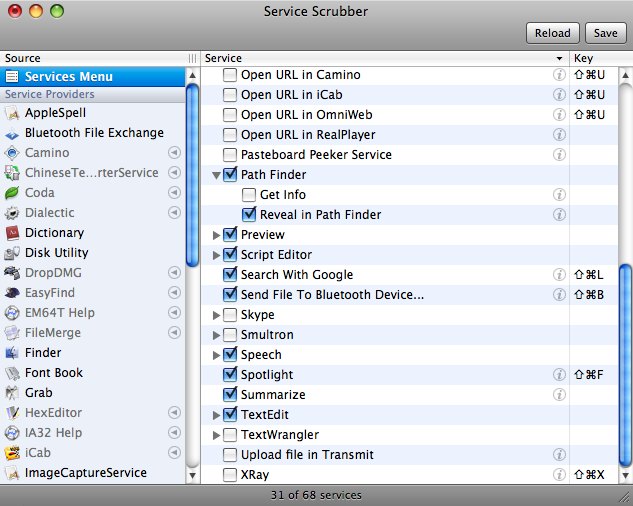
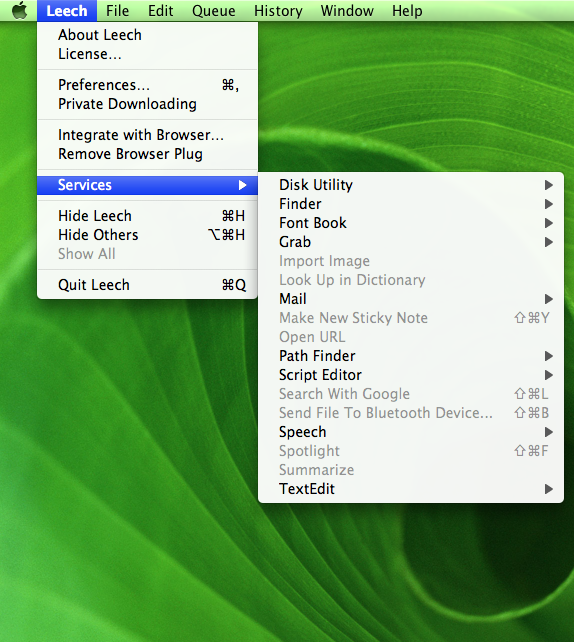
One of the most underestimated features of Mac OS X is the services menu, which lets you perform actions on the current selection, regardless of the application you're currently working in. These actions include opening a URL in your browser, sending a snippet via mail, having text read to you, and so forth.
Unfortunately, all kinds of applications add their own entries to the services menu, making that menu grow incessantly. For most users, it has in fact grown beyond the point of usability a long time ago. And we haven't even addressed keyboard shortcut issues here.
|
left: Raw services menu middle: Scrubbing right: Scrubbed services menu |
So wouldn't the services menu be much more useful if it weren't overcrowded by services you never even thought of using? Shouldn't there be a way to edit that menu? Enter Service Scrubber. With Service Scrubber, you can:
Once your services menu has been scrubbed, you'll be surprised how useful it actually is.
Updating applications may necessitate re-scrubbing. Also, please note that Service Scrubber will not edit signed applications when running on Mac OS X 10.5 or later, as explained in this blog entry.
MacFormat
| MacLife
| Macworld
Mac Gems | Softonic
|
 Many Tricks
 Download


