Keymou
Keyboard Mouse|
Also available on the |

|
|
Please read: |
|
Keymou 1.2.11 requires macOS 10.13 or newer. Please see the museum if you are running an older macOS version.
Keymou is presently available in English only.
Keymou will work for . After that, you will have to purchase a license in order to continue using Keymou.
Keymou includes a . If you're not satisfied with your purchase, simply email us for a refund.
Keymou and Key Codes updated…and a birthday!
The new Many Tricks’ end user license agreement
Sometimes using the keyboard is just more convenient than a mouse or trackpad: Keymou gives you full control over your mouse pointer via keyboard shortcuts.
Here are some of the actions you can use and how to configure them:
|
|
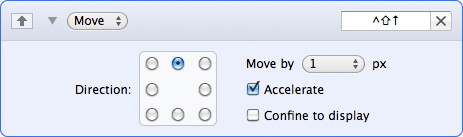
Move: Move in the specified direction, with a user-configurable step size, acceleration, and optionally confine movement to the current display. |
|
|
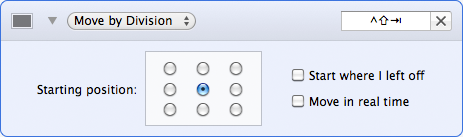
Move by Division: Easily move around the screen and yet quickly zero in on your target by subdividing your screen with each move. For a brief demonstration, watch this movie. |
|
|
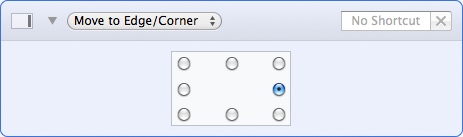
Move to Edge/Corner: Jump to any screen edge or corner with a single keystroke. |
|
|
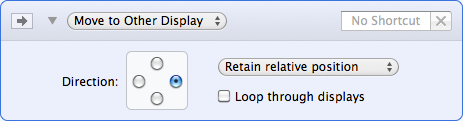
Move to Other Display: Quickly move the mouse to another display. |
|
In addition to these listed actions, you can also center the mouse, scroll, and send all the clicks—click, double-click, and right-click. |
|
|
|
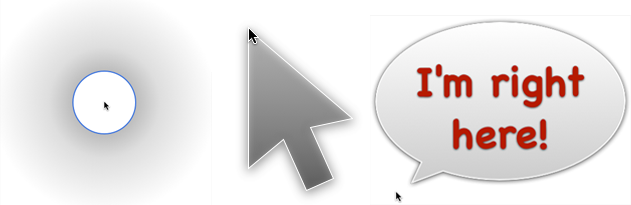
Find the mouse by highlighting it: Use one of three eye-catching images to highlight the mouse whenever it moves, only when it's moved by Keymou, or temporarily after a period of inactivity. |
 Many Tricks
 Download
  Buy Now